Tour
A meet, start to finish
One morning at the demo county championship, from the week before to the last award. Every screenshot is the real app, running a made-up meet with made-up schools and athletes.
- Scan in
- 1st call
- Heats formed
- Heats sent
- The gun
- A delay
- Awards
The week before · Plan and Print
From heat sheet to printed codes in an afternoon
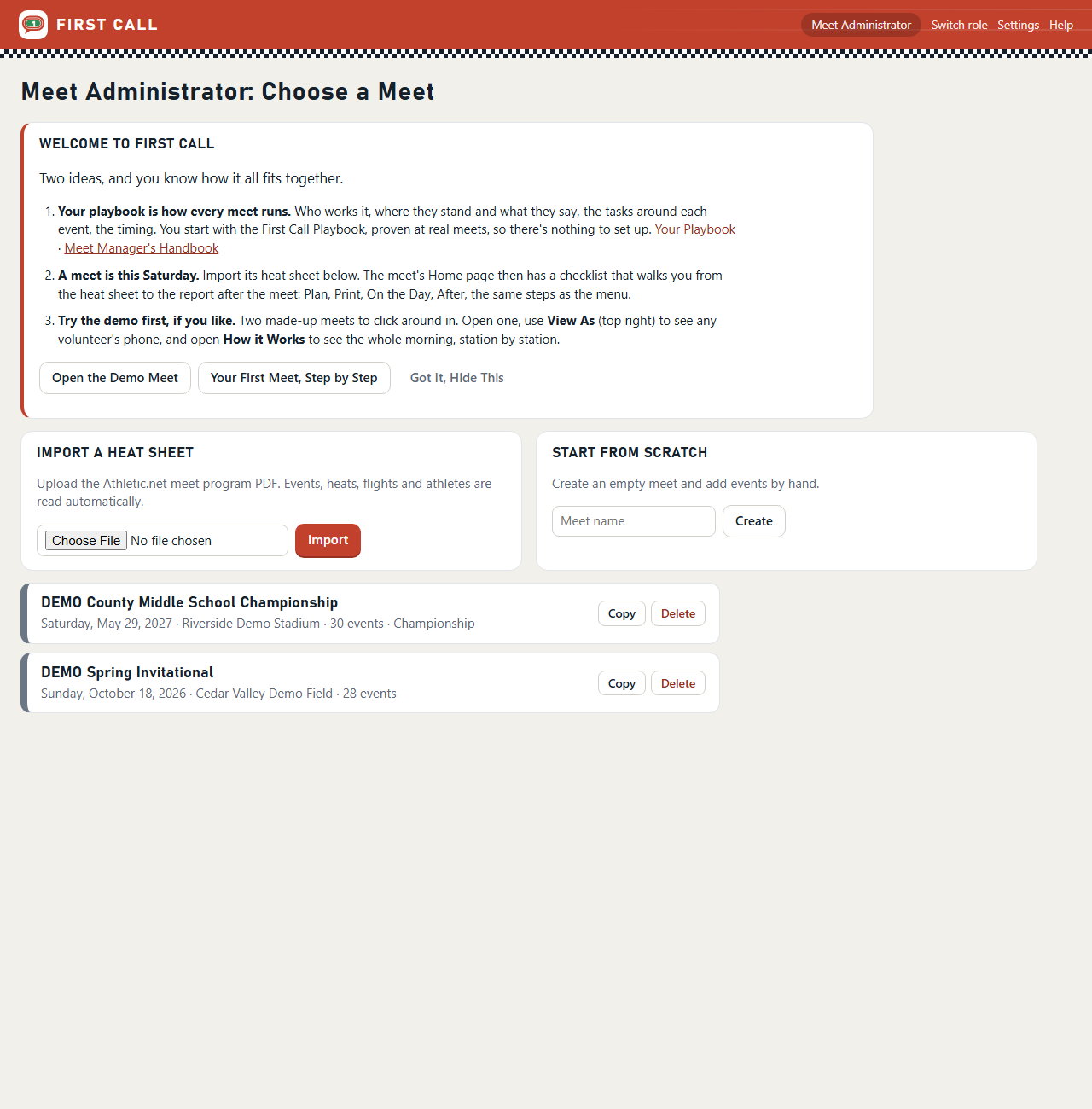
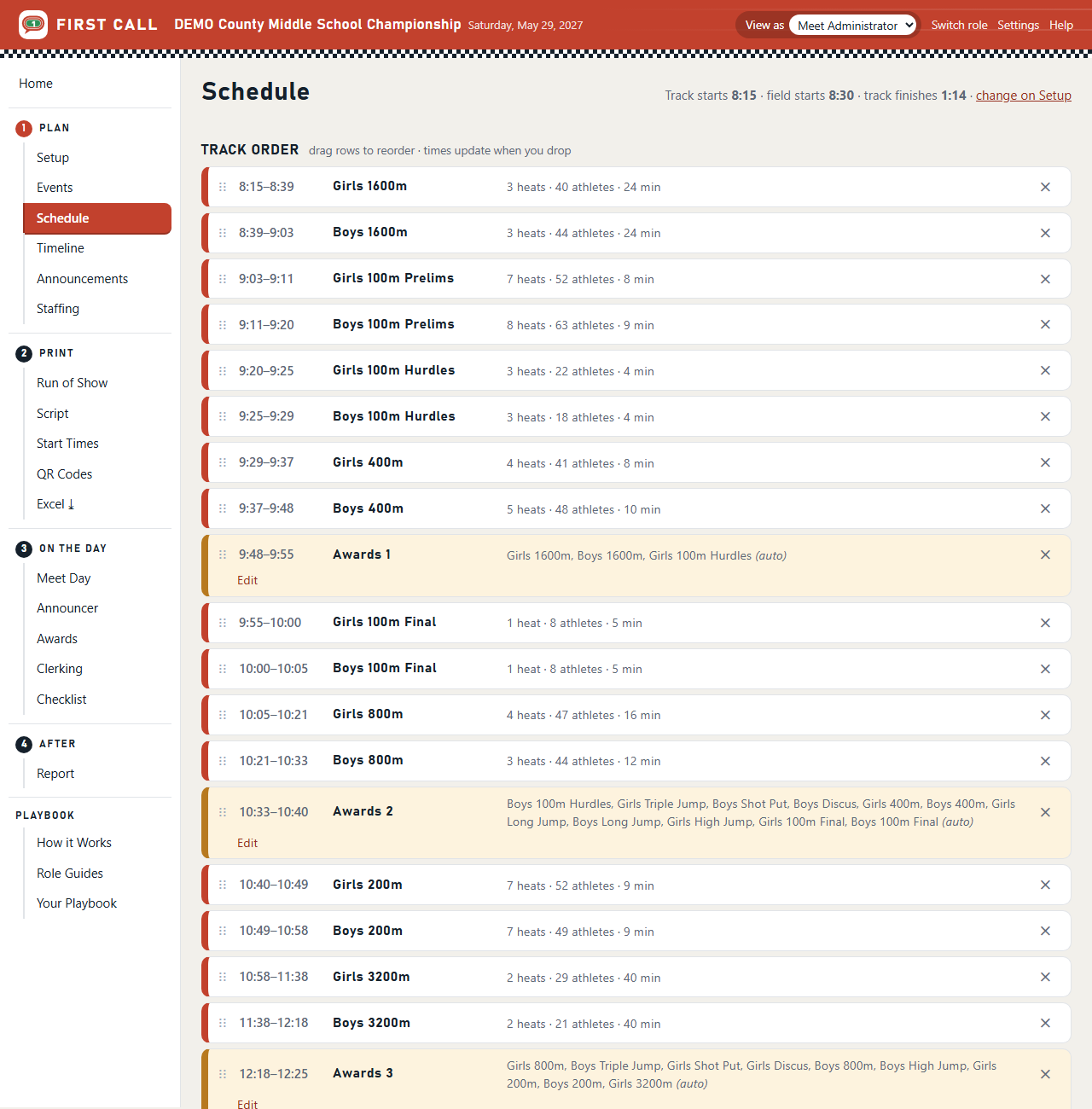
The meet director imports the Athletic.net heat sheet. First Call reads every event, heat, athlete, school, grade and hip number, and adds finals for events with prelims. Drag the races into running order and every call time, awards presentation and the finish time recalculate.
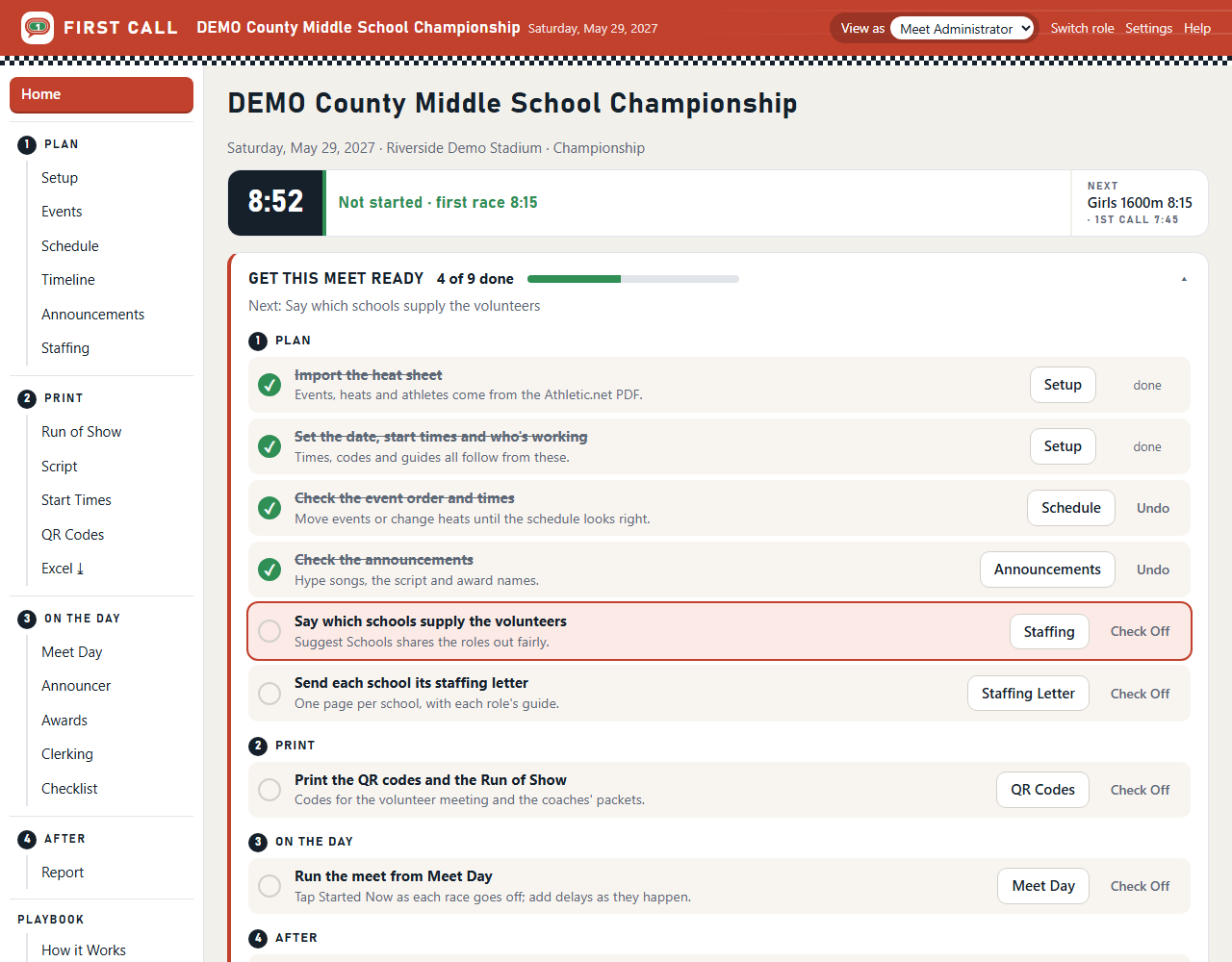
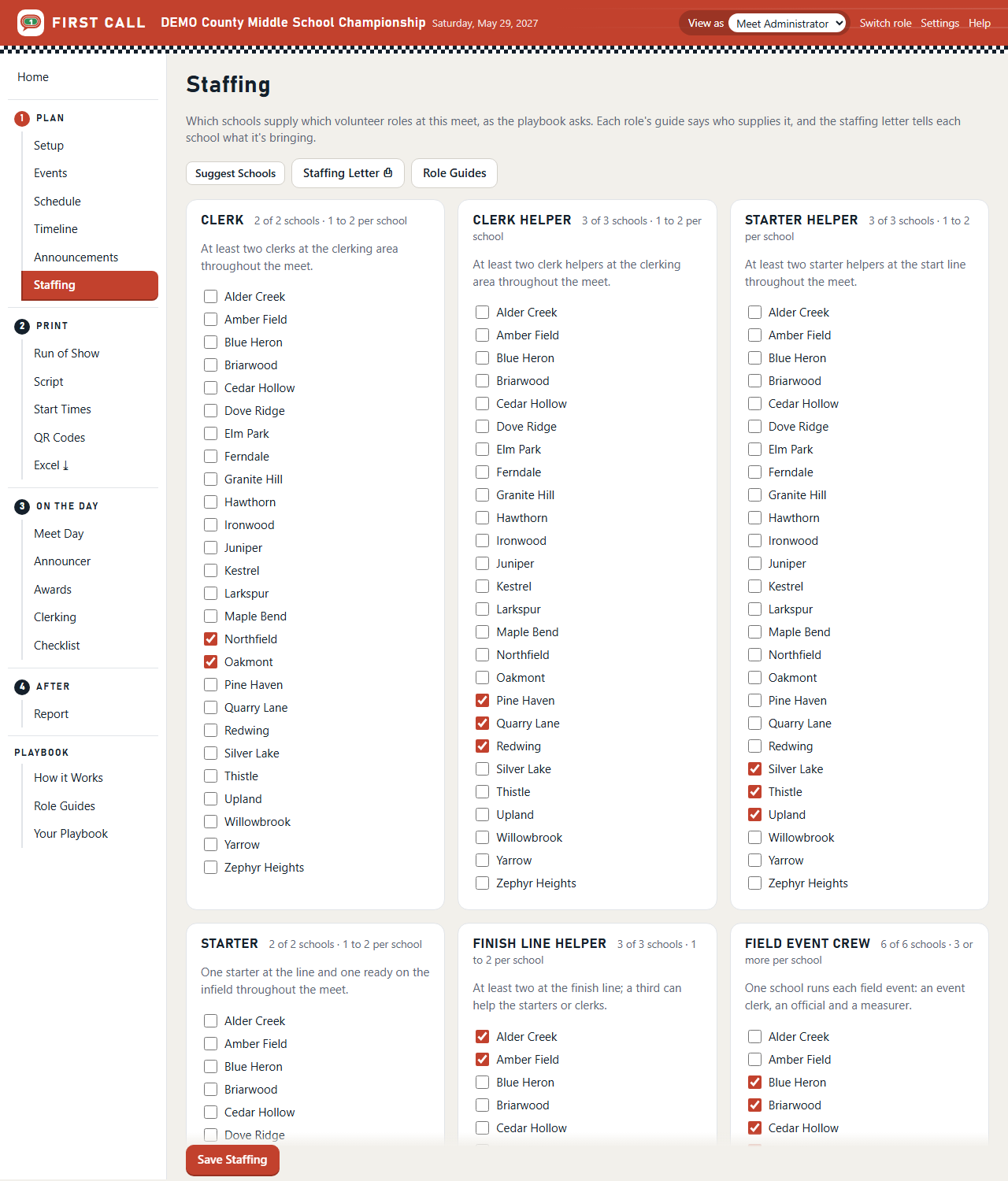
The meet's Home page lists what's left: set the start times, check the order, share the volunteer roles out among the schools, print the codes. Steps the app can see check themselves off.
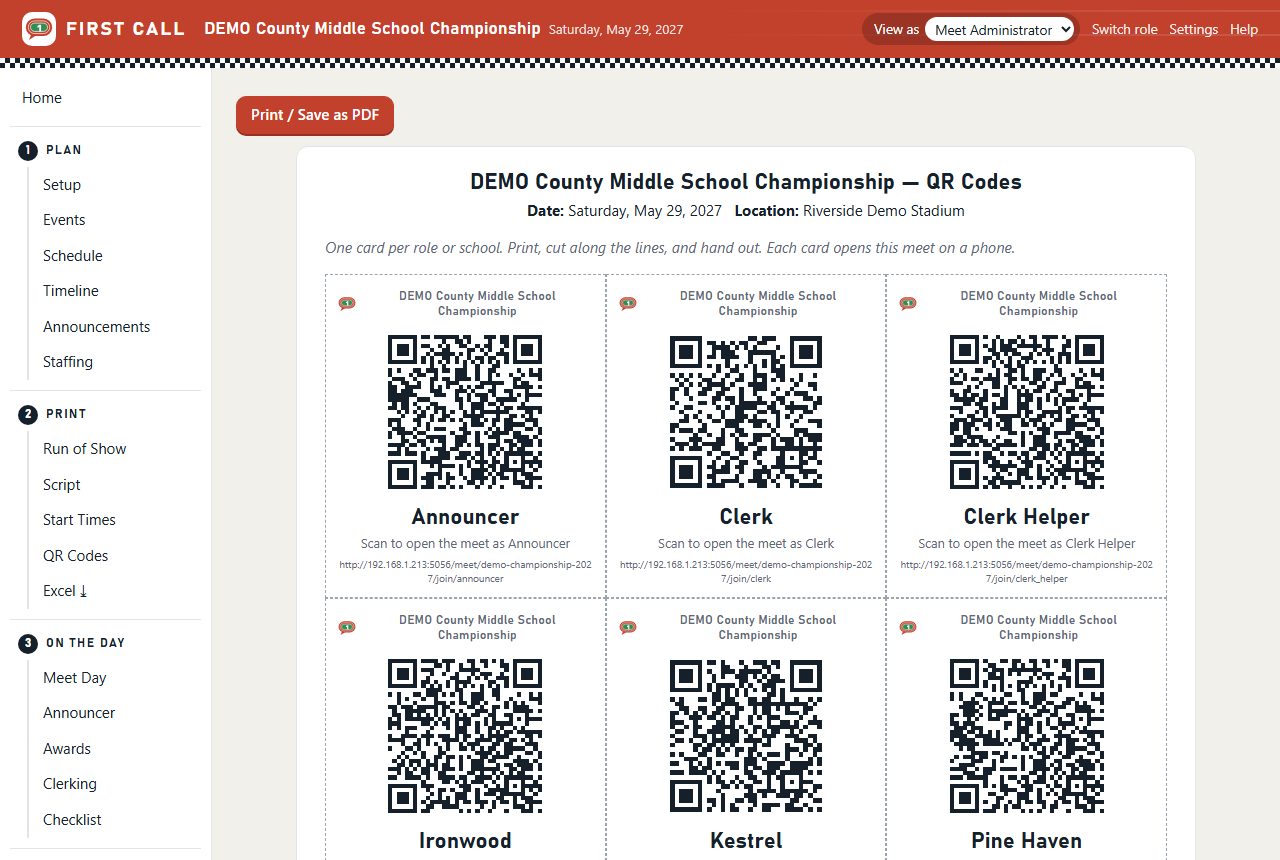
1 · Scan in
Everyone scans in at the clerk meeting
Each volunteer scans their role's card and lands on their own pages for this meet. Each coach scans their school's card and sees only their team. No accounts, no passwords to hand out, nothing to install.
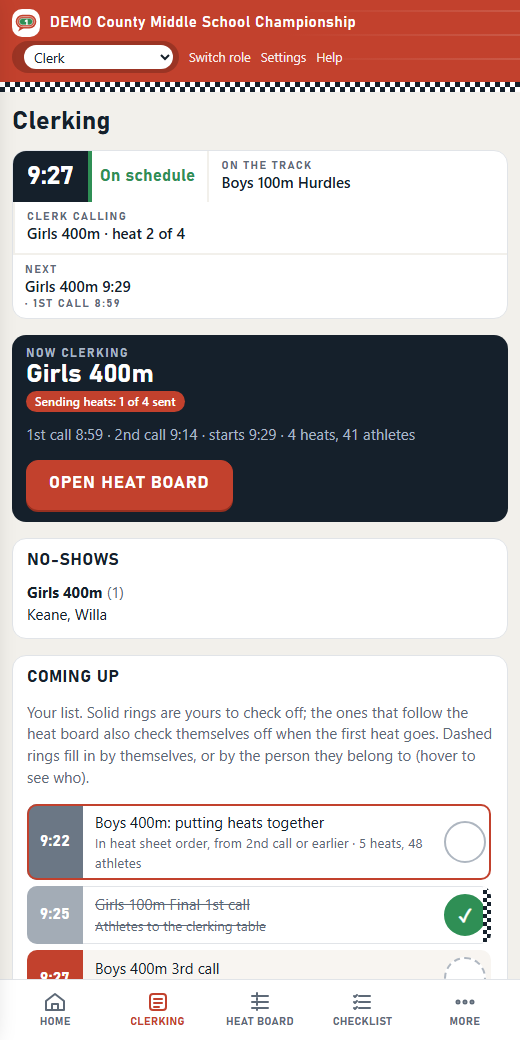
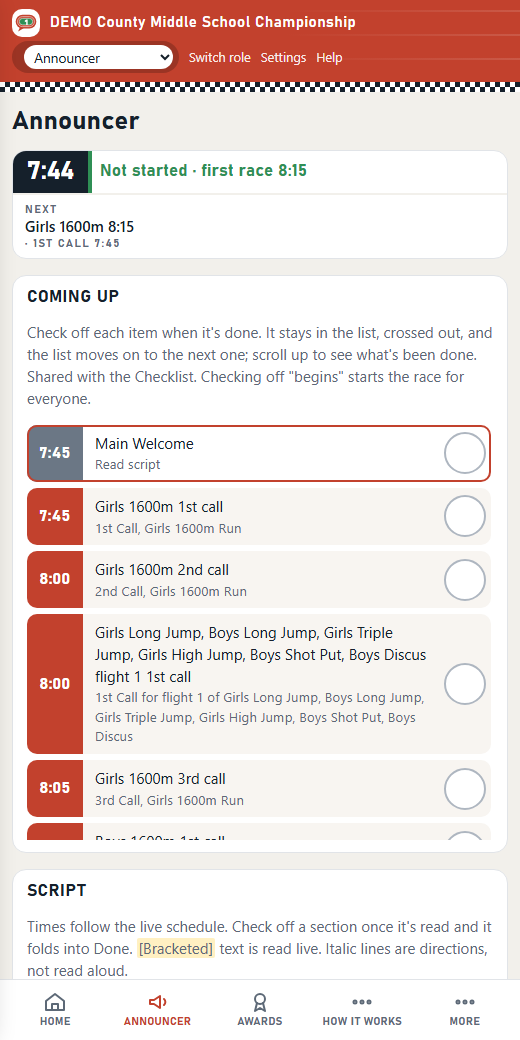
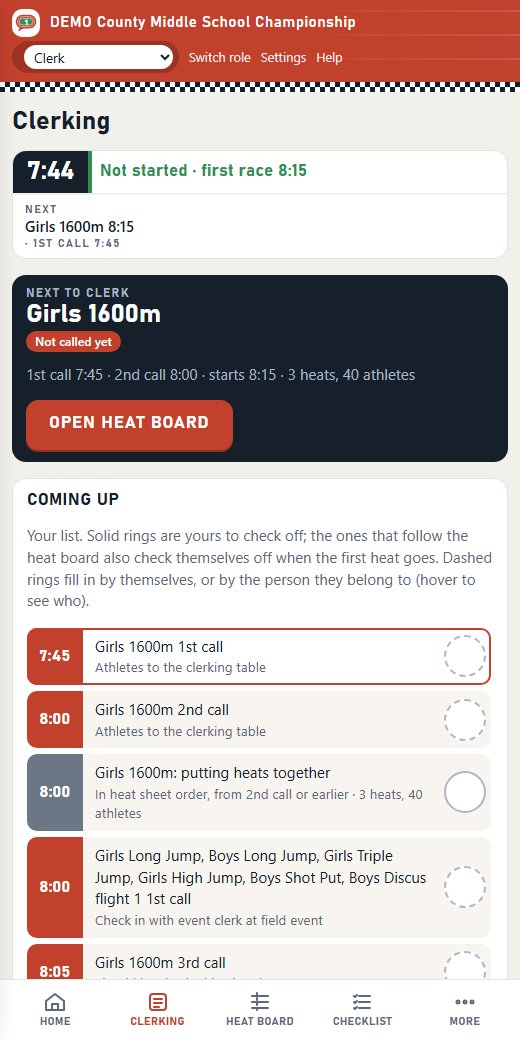
2 · 1st call
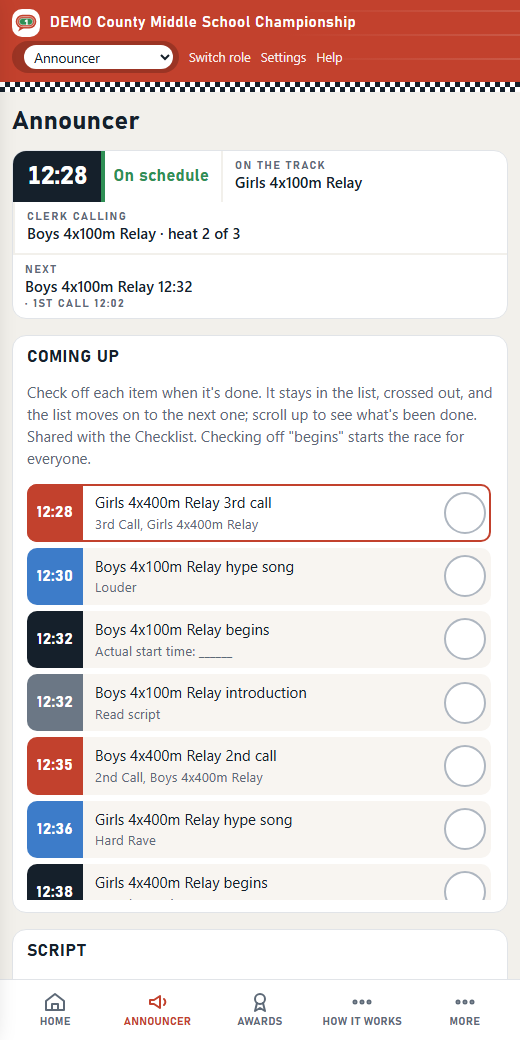
The announcer calls it, and the clerks see it
Thirty minutes before the first race, the 1st call is at the top of the announcer's list. They read it and check it off. On the clerk's phone the event changes to "1st call made", so the clerking table knows athletes are on their way.
3 · Heats formed
Heats come together in heat-sheet order
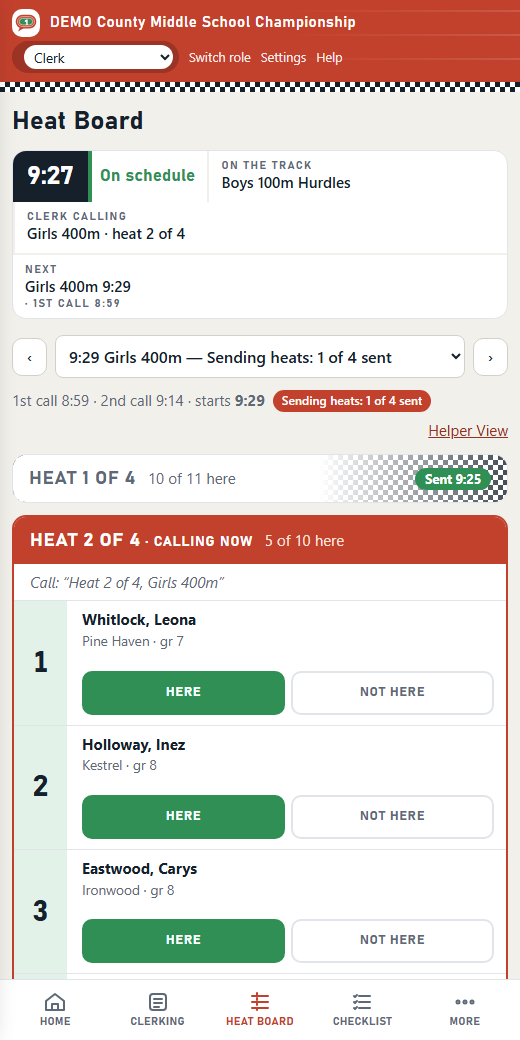
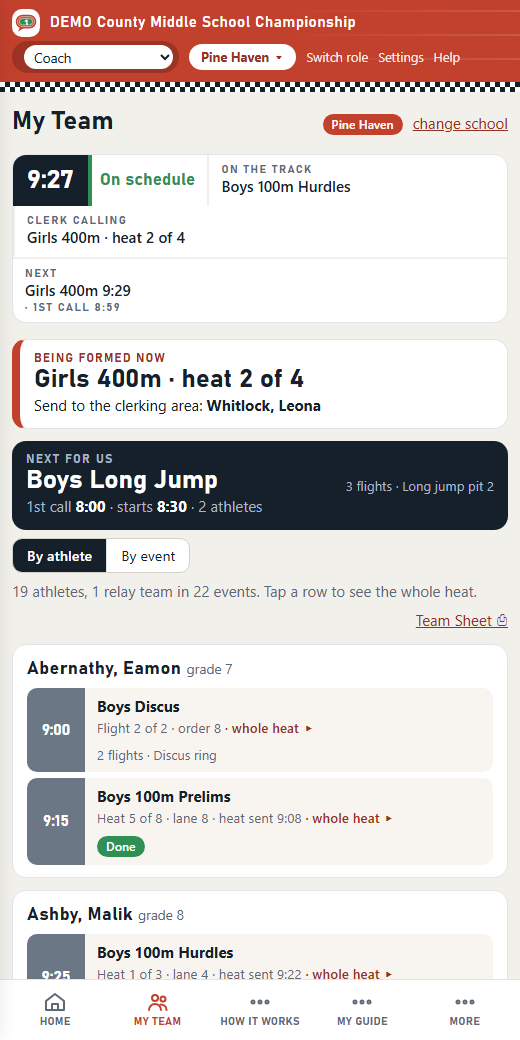
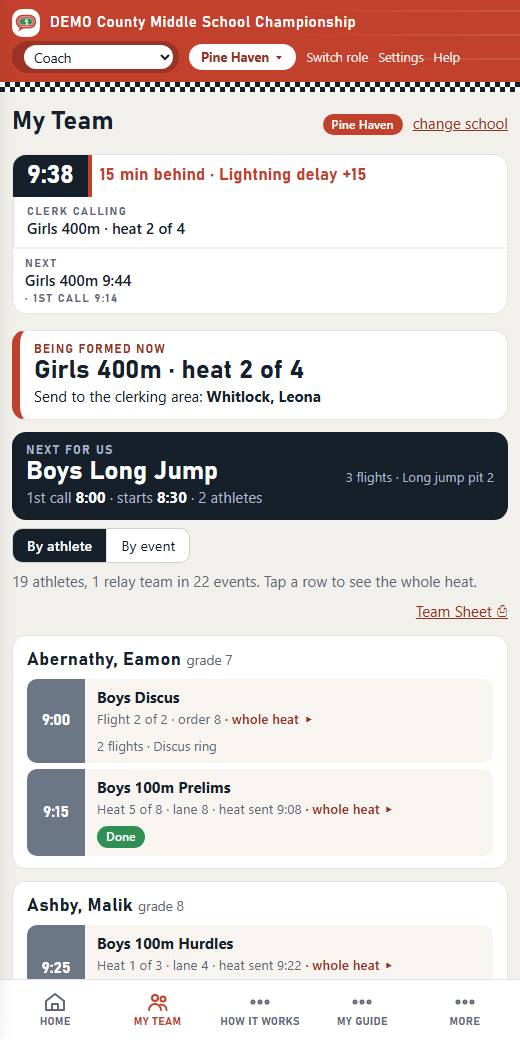
The clerk calls each heat and marks athletes Here or Not Here on the heat board. Two clerks can work the same event from two phones. The status strip on every page shows the heat being called, and a coach whose athletes are in it sees "Being formed now".
4 · Heats sent
One tap sends a heat to the start
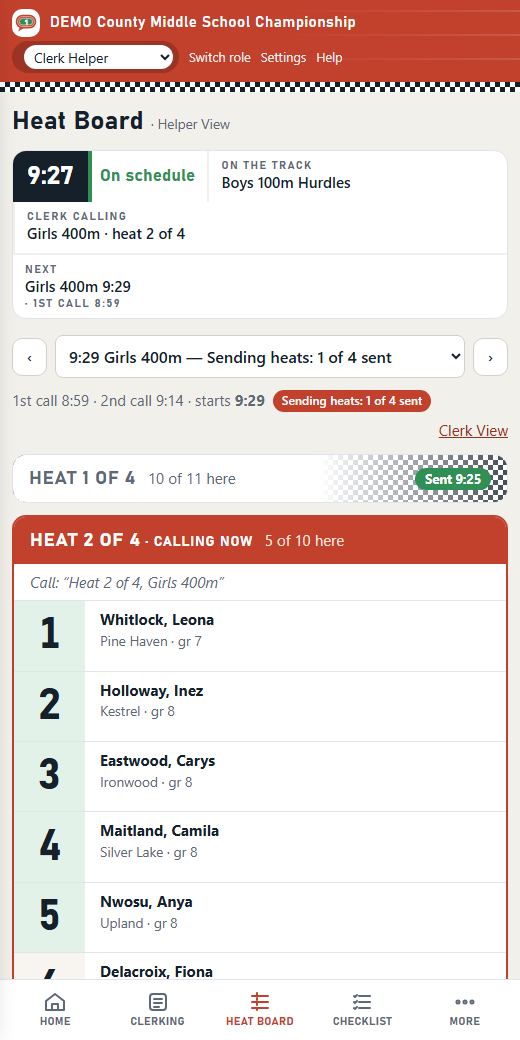
The clerk helper hands out hip numbers, checks the heat is in order, and taps Send Heat 1 to the Start. Their checklist line checks itself off, the clerk sees it, and the next heat opens. At the start, the starter helpers keep the next heat ready by the cones.
5 · The gun
Started Now moves the whole meet
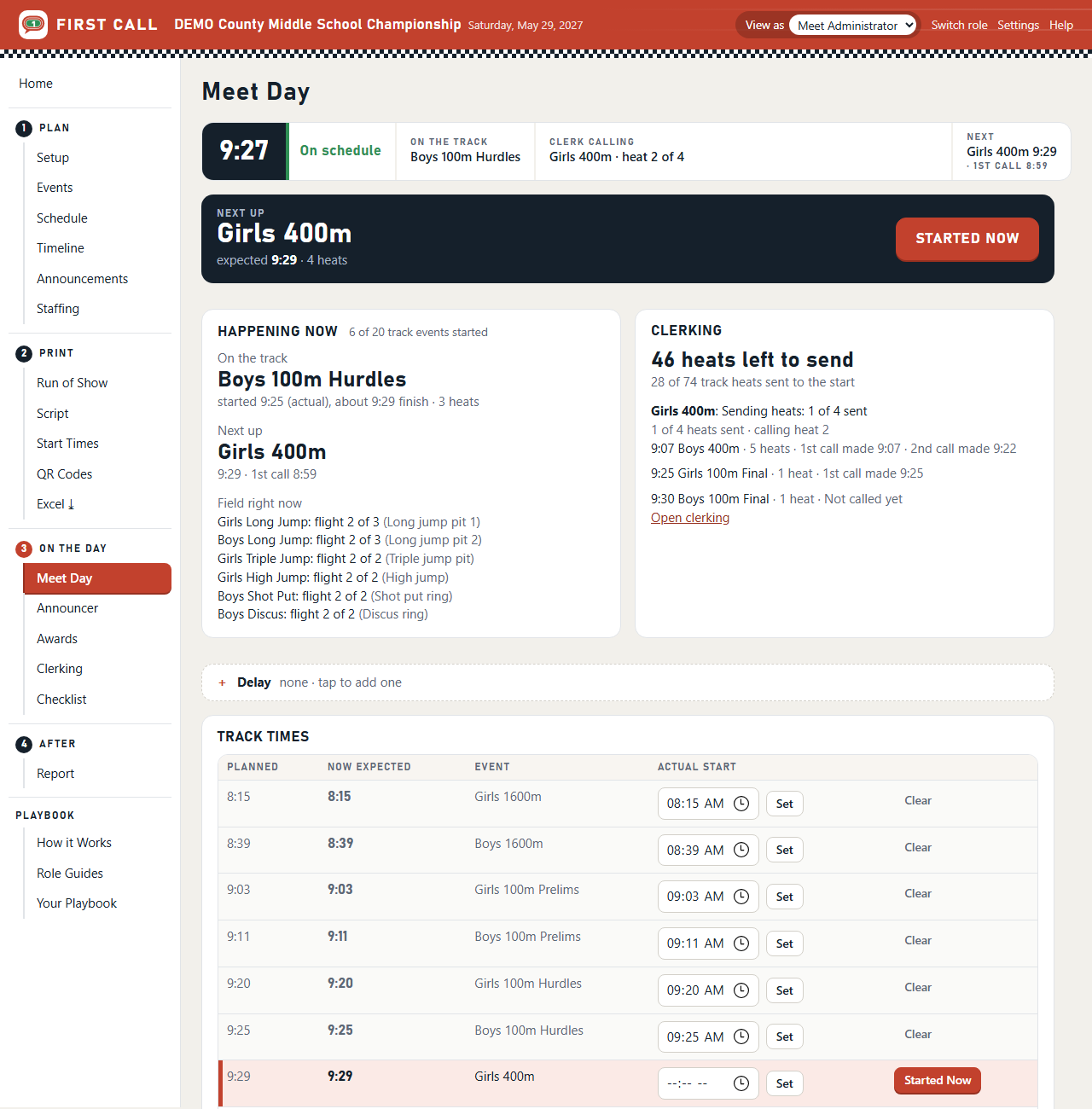
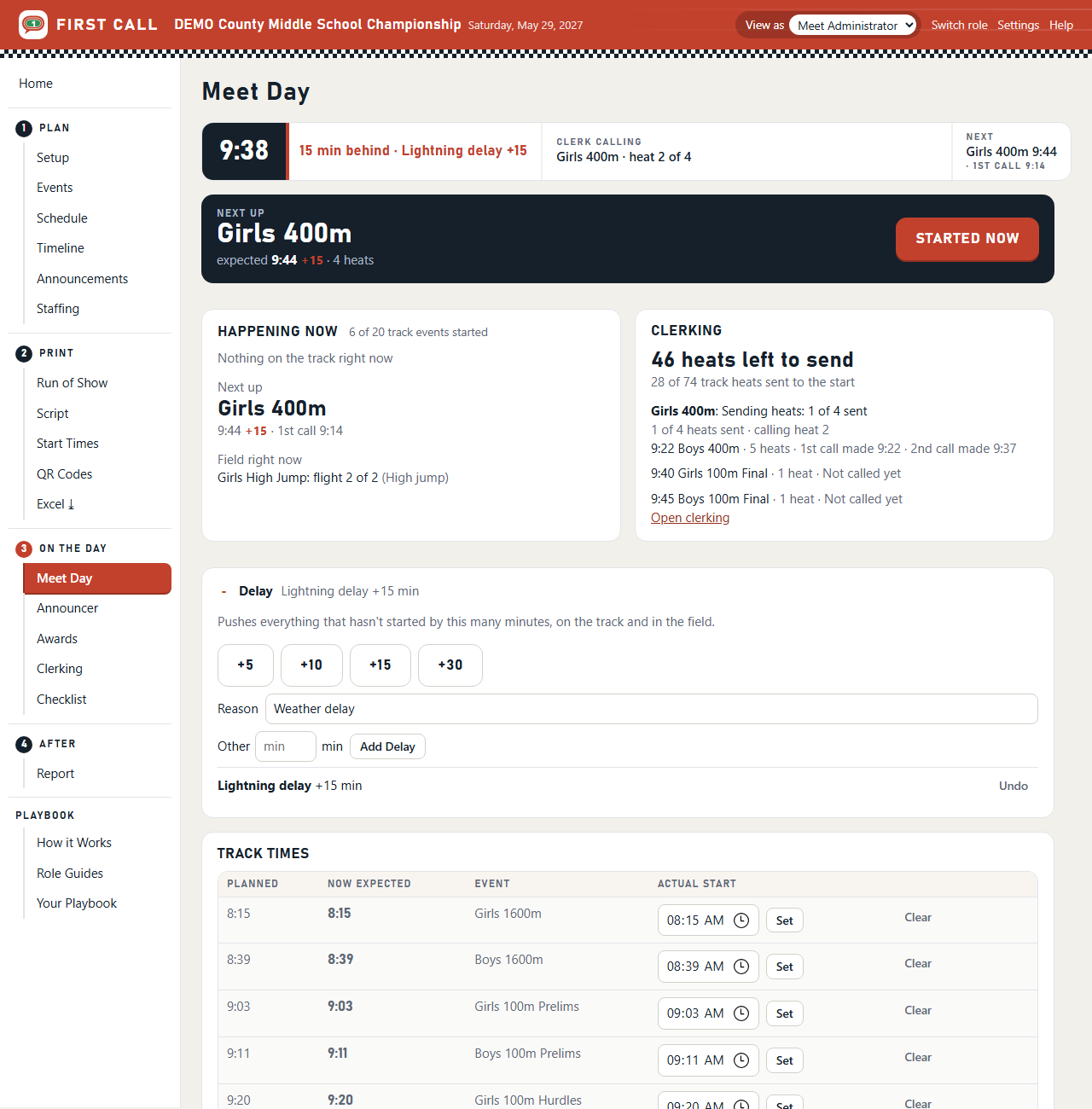
The meet director taps Started Now as the gun goes. The race's real start is recorded, and every later time moves on every phone, on the track and in the field. The race before it counts as finished everywhere, so nobody checks off the same thing twice.
6 · A delay
Lightning? Fifteen minutes, everywhere, in one tap
+15 pushes everything that hasn't started, on the track and in the field. Every phone shows the new times within seconds. The announcer's script and the coaches' start times follow. Undo it the same way.
7 · Awards
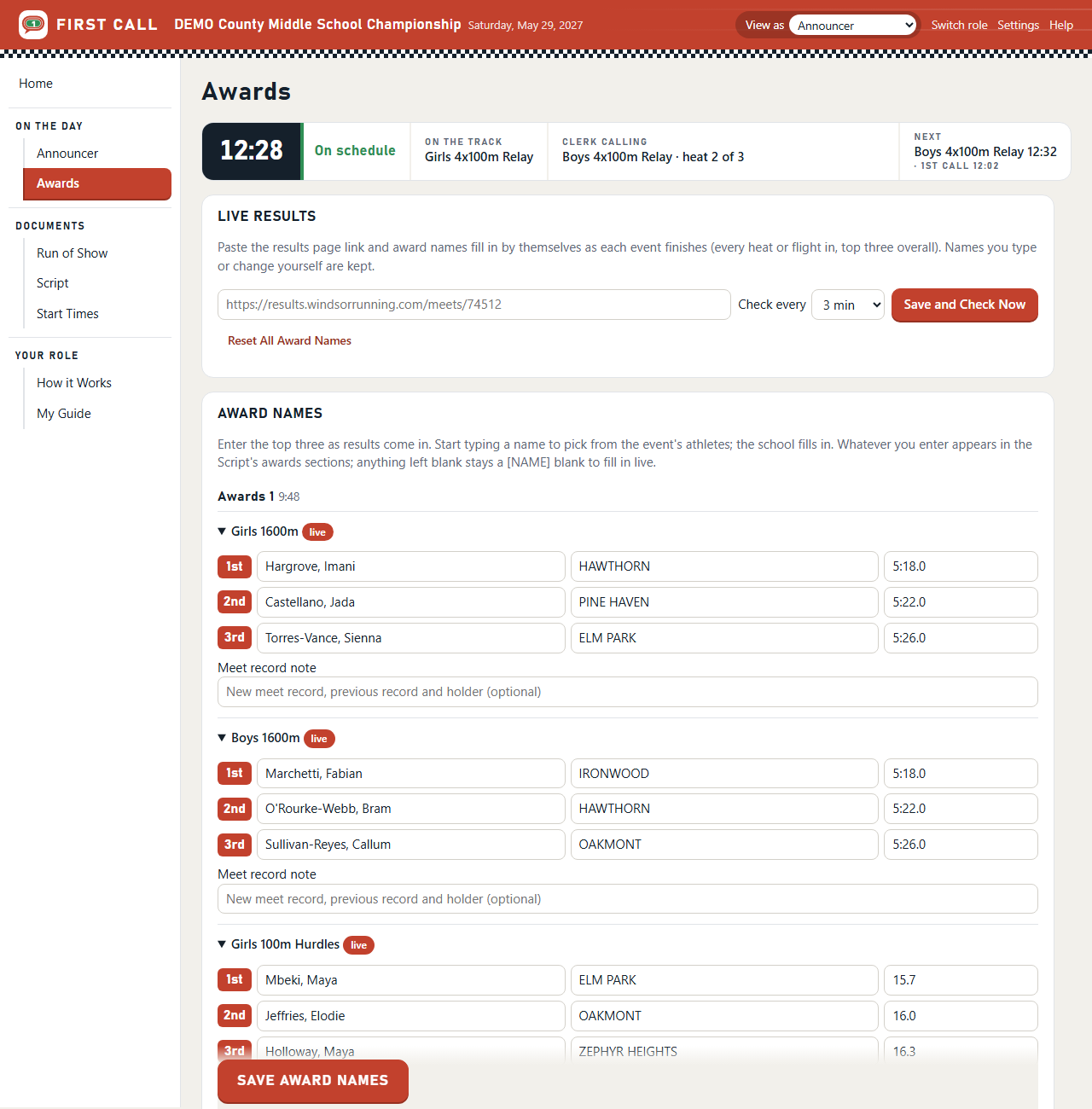
Award names fill in from live results
Paste the timing company's results link. As each event finishes, its top three fill in with schools and marks, straight into the announcer's awards script. Anything typed by hand is kept.
After · The report
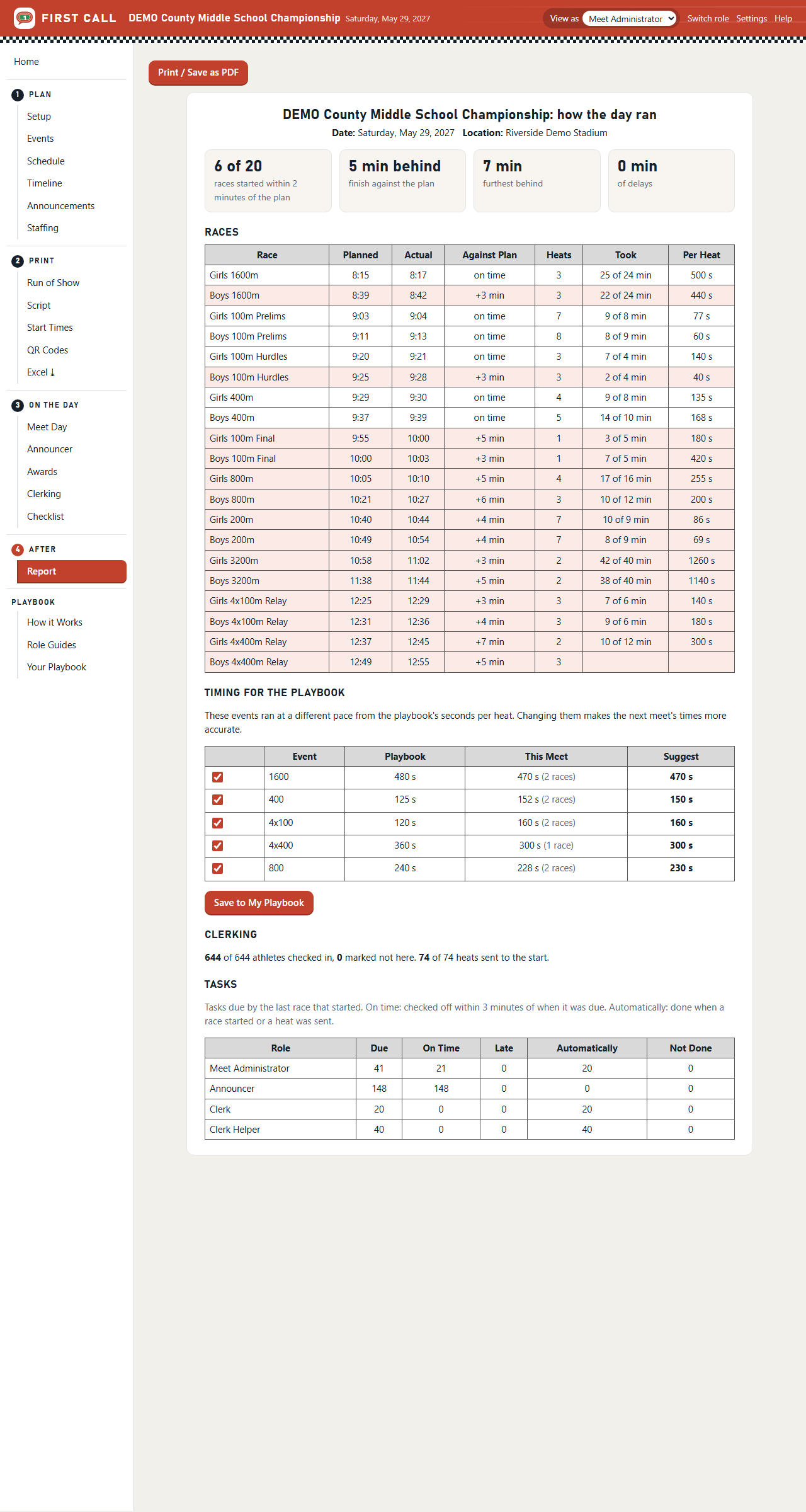
How the day ran against the plan
How many races started on time, how far behind the meet got, how long each event really took, check-ins, no-shows, and whether each role's tasks were done on time. Where events ran faster or slower than planned, the report suggests new seconds per heat, and one tap saves them for the next meet.
And when something's unclear
The guide is built in
Every page has Help in the red band, and it opens the guide at the part about that page. A new install starts with a short welcome and two demo meets to try things on, and each meet's Home page has a checklist of what to do next. Quick cards for every role, the tutorials and the Meet Manager's Handbook come with the pilot.