
Project story
From a paper process to a playbook and an app
I run middle school track meets. I knew how to run one well. The hard part was getting dozens of volunteers, an announcer and thirty coaches to run it the same way at the same time. First Call is what I built to fix that.
The morning
It's 9:10 and the schedule is already wrong
A middle school championship has four hundred athletes, twenty-six schools and a few dozen volunteers, most of whom do this twice a year. The schedule was printed the night before. The Boys 1600m went off six minutes late because a heat was missing two kids, and now every time on every sheet is wrong, and nobody knows by how much.
At the clerking table, a line of athletes and coaches is asking the one question the heat sheet already answers: "Which heat am I in?" Someone with a radio is asking whether the 2nd call for the 100m hurdles went out. It did, but the clerk didn't hear it over the crowd. The announcer is reading a script with times on it that stopped being true forty minutes ago. A new volunteer is standing at the finish line, where the starter helper is supposed to be, because nobody told them where the cones were.
None of this is anyone's fault. The information exists. It's just not in the right hands at the right moment. The tools that exist handle entries and results, the beginning and the end. Nothing handled the middle: getting every athlete to the right place at the right time, with people who are doing it for the second time in their lives.
Constraints that shaped everything
- No reliable internet at many venues.
- Volunteers who won't install an app or make an account for one Saturday.
- Student names that shouldn't leave the venue.
- It has to work alongside paper, because paper always comes along.
- Every meet director runs meets a little differently.
The first two decided the shape before a line was written: a laptop on the infield, phones on its Wi-Fi, a QR code instead of a login.
How it came together
Six rounds, each one built on the last
Each round was a few days of building, then using it as the meet director, the clerk or a coach would, then rebuilding what that showed.
Round 1
Heat sheet to run of show
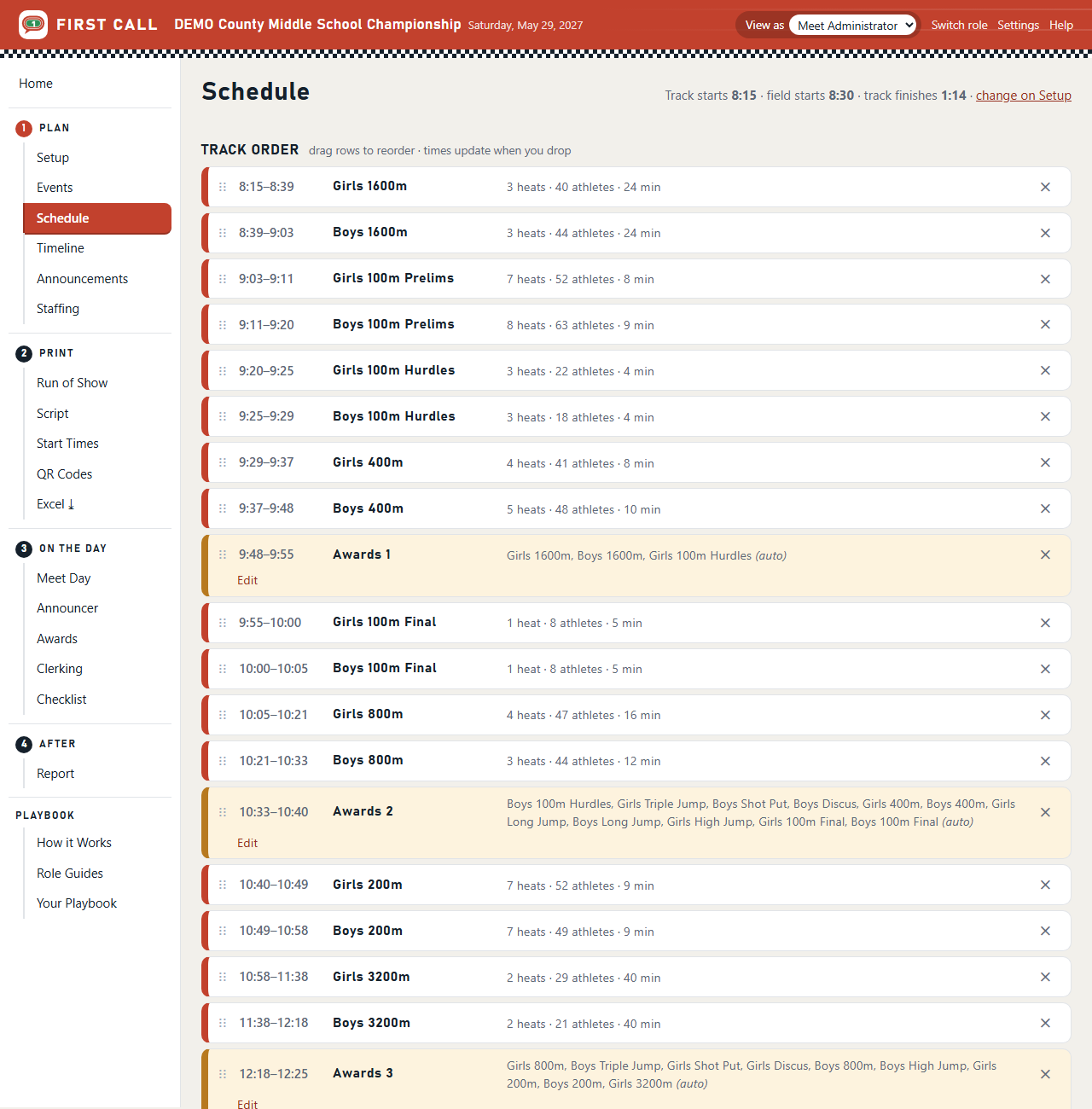
The first version did one thing: read the Athletic.net PDF and compute the day. Every event's length from its heats and a table of seconds per heat; call times thirty, fifteen and ten minutes before; awards and breaks dropped in between. Out came the Run of Show, the announcer's script and the public start times, printed. It replaced an evening with a spreadsheet, and when the running order changed, every time moved with it. It was still paper by morning, and still wrong by 9:10.
Round 2
One shared record of meet day
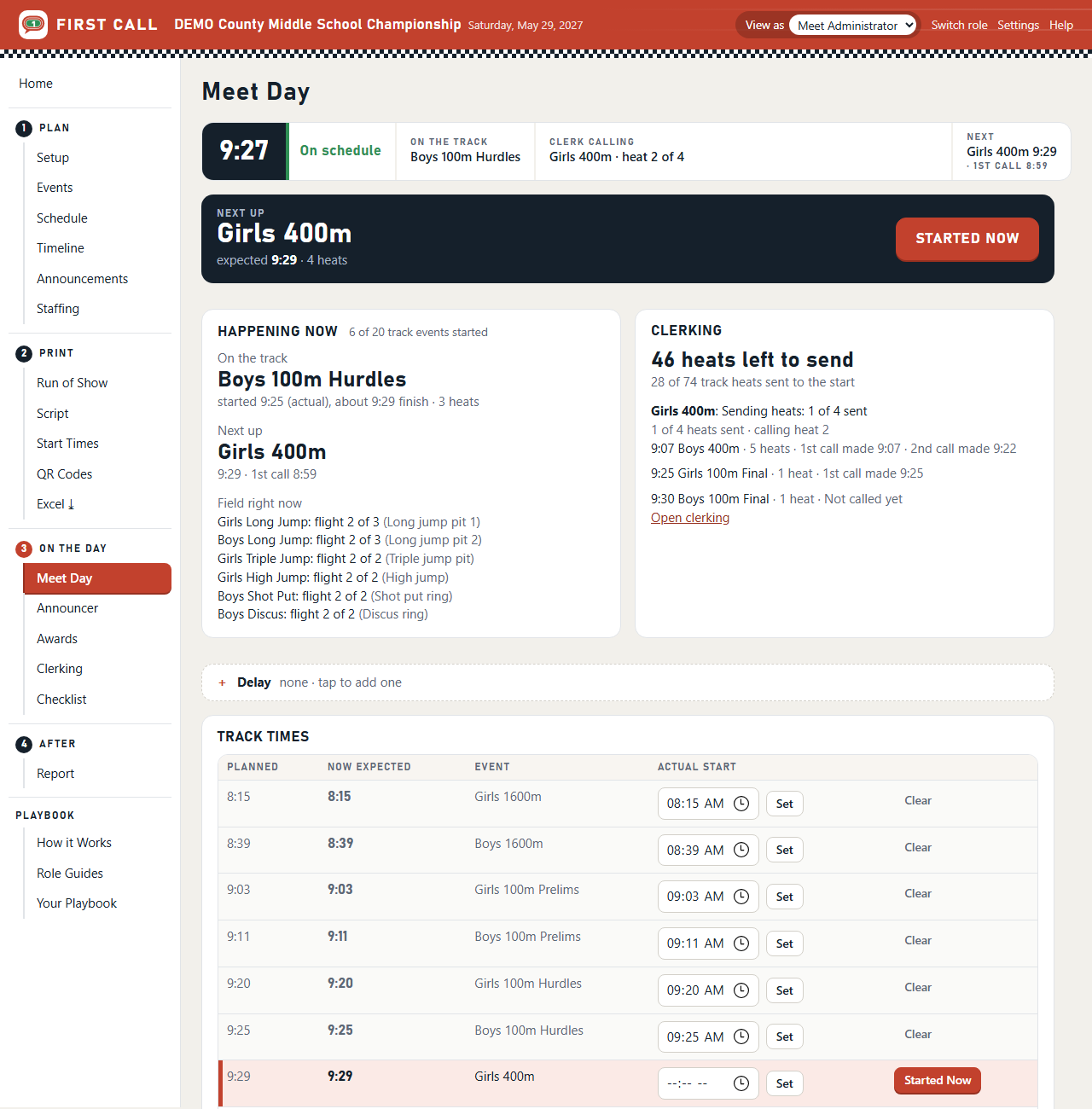
The fix for a schedule that goes stale is a schedule that knows what time it is. A Started Now button as the gun goes; a +15 for a lightning delay; a check-off for each call. Each of those is recorded once, and every page computes its times from them. The schedule moves with the meet instead of against it. This is also where "a laptop, not a cloud" was settled: no internet needed, no monthly server, and the athletes' names stay on the one machine. Hosting could come later, as an option.
Round 3
A screen for every role
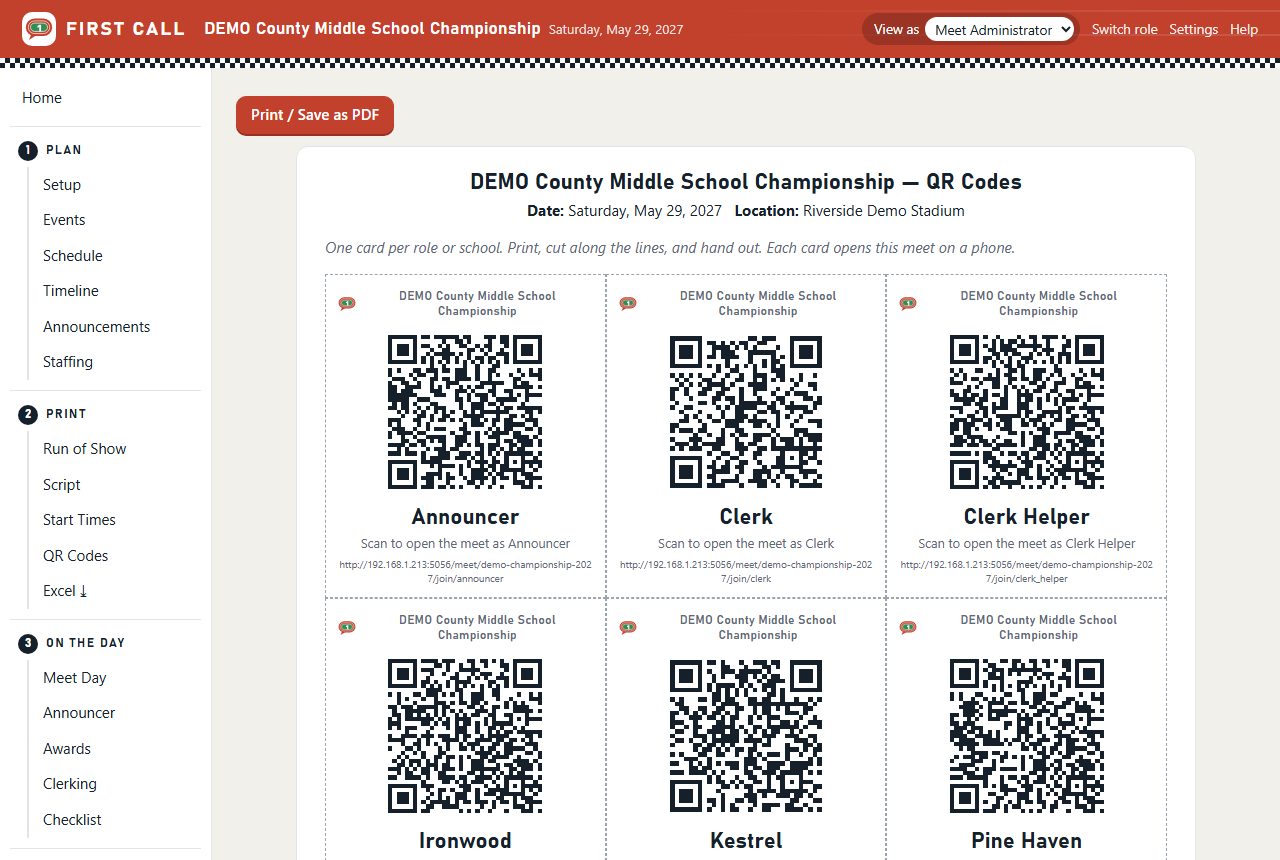
A meet director watching one laptop doesn't help the clerk at the far end of the track. So every role got its own pages, on its own phone, and the question became how a volunteer gets in. Accounts were out; nobody is making a password for one Saturday. The answer was a card: one QR code per role and one per school, printed from the app, handed out at the clerk meeting. Scan it and you're in, seeing only your job. The same round gave every task one role that does it, so nothing quietly falls between two people.
Round 4
Clerking and coaches
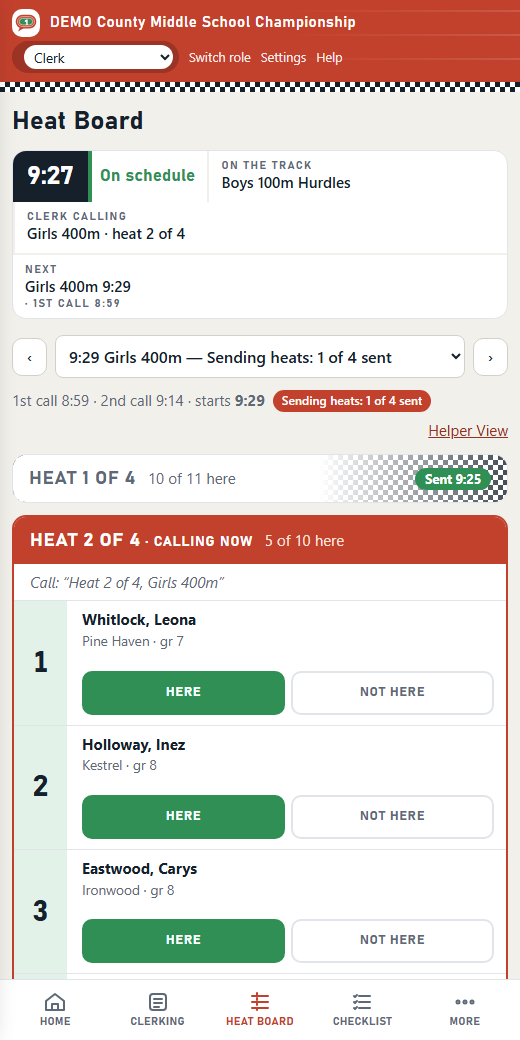
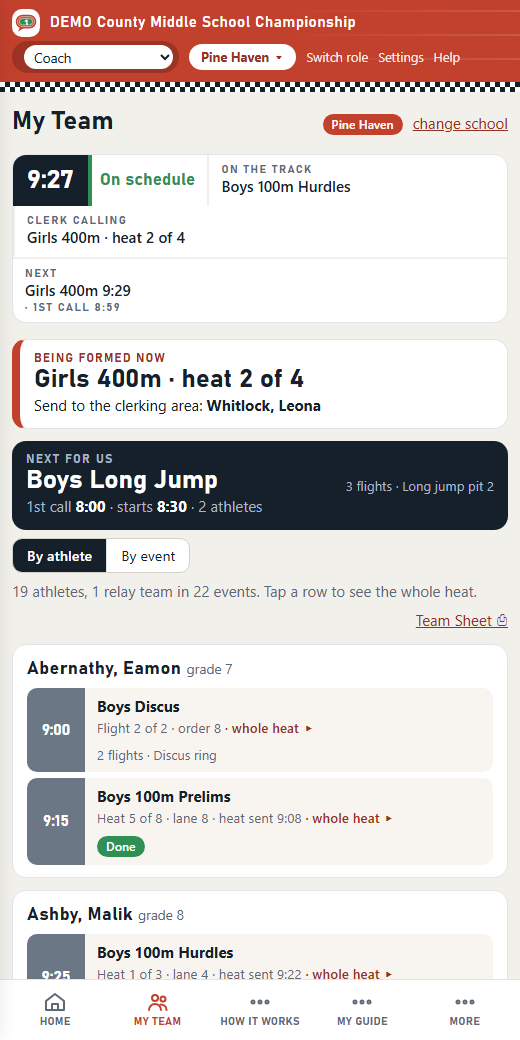
The clerking table is where meets are won or lost, so it got the most attention: a heat board two clerks can work from two phones, Here and Not Here with one tap, and a helper view with hip numbers big enough to read at arm's length and a button that sends the heat to the start. Coaches got the page that empties the line at the table: their own team, live, with "being formed now" when it's their athletes' turn.
Round 5 · The turn
The process is the product
By now the roles, their stations, what each one says and when were written into the code, and they fit exactly one meet: mine. Another director would have asked for a starter on the infield, or no clerk helper, or calls at twenty minutes, and every one of those was a programming change.
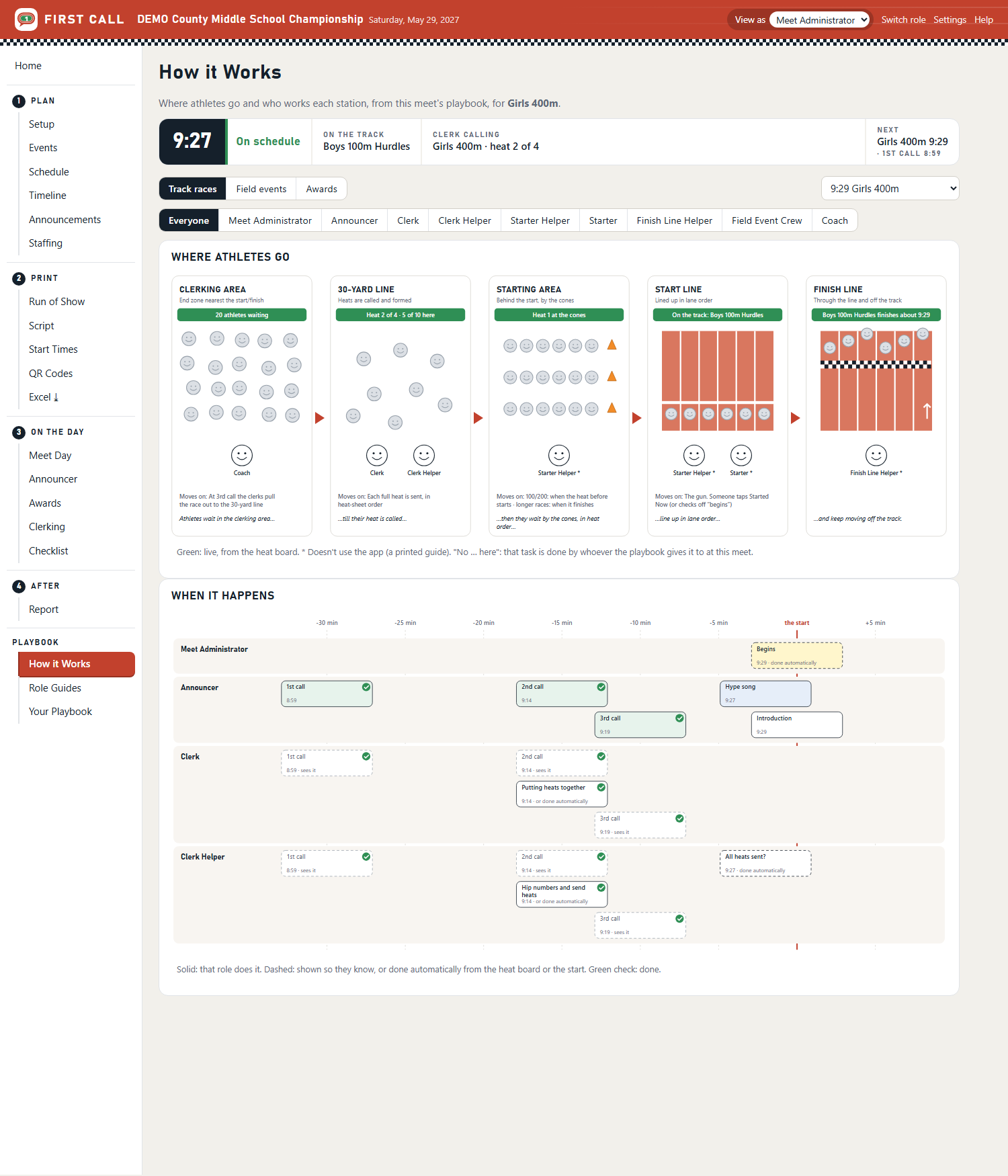
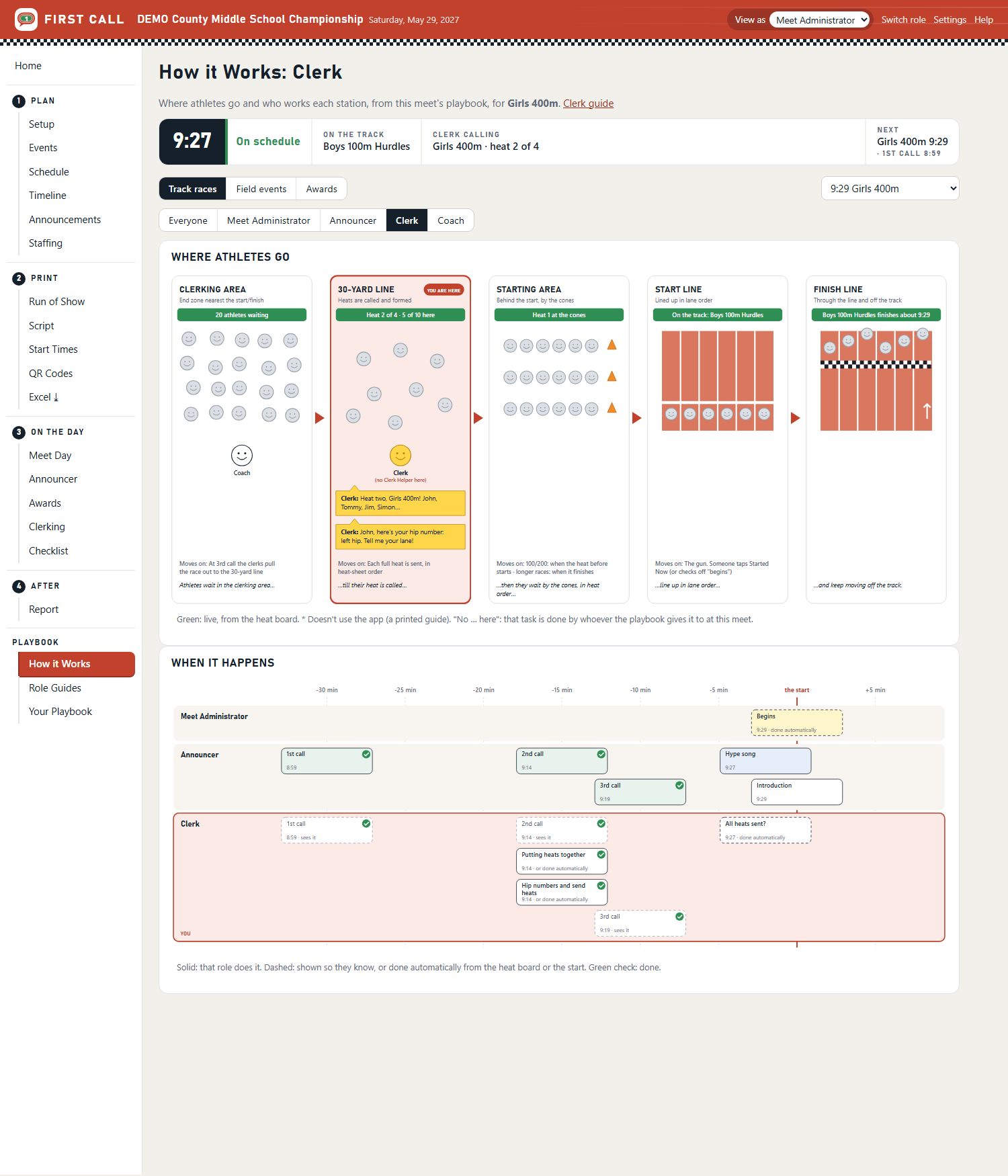
The realization was that I hadn't been building an app. I'd been writing down how to run a meet, and the app was a way to hand that out. So the method became the thing: roles, stations, guides, tasks and timing as one editable playbook. The app runs whatever playbook it's given. How it Works draws the meet from it. The guides are generated from it. The report measures the day against it. And a director who runs meets differently starts from the First Call Playbook and changes what's different.
A meet goes well when everyone knows what happens next, reliably, every time.
Round 6
Making it simple
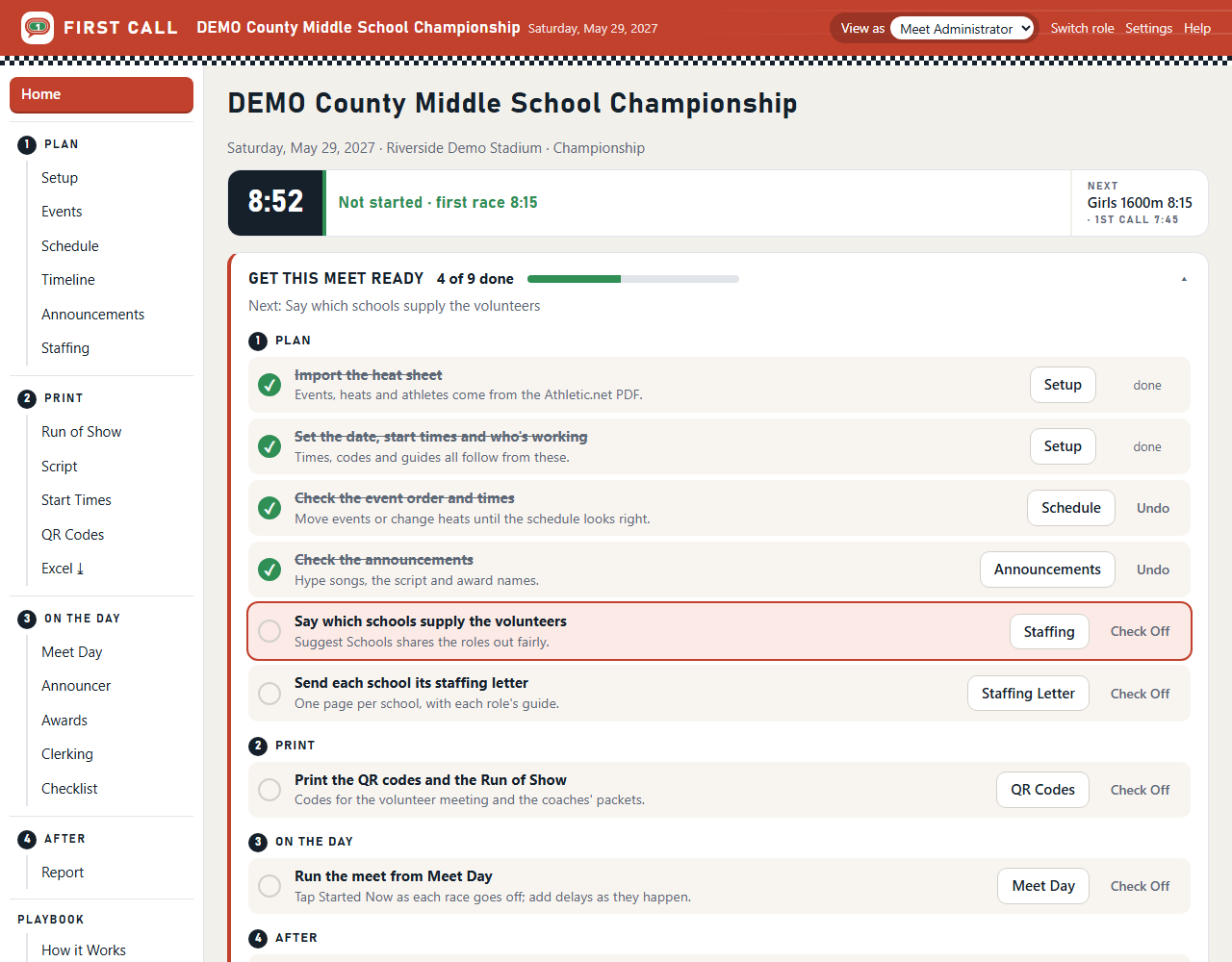
The last round was using it with a new administrator's eyes. Words that made sense to the builder ("tick", "actions", "master") confused a first-time director, and a powerful settings page hid the simple path. The menu became four numbered steps in the order of the day: Plan, Print, On the Day, After. Each meet's Home got a checklist of what's left, and the steps the app can see check themselves off. A new install opens with a welcome and two demo meets to try things on.
What I learned
The method sells the software
A meet director doesn't want another tool to configure. They want a meet that runs on time. Leading with the playbook made the app easier to explain and easier to trust: here is a way of running a meet that works; the app is how everyone on the infield gets it on their phone.
The second lesson was about words. A numbered menu, a checklist and plain language ("check off", "tasks", "Done by") did more for ease of use than any feature. The third was about testing with the wrong data: every screenshot, PDF and demo comes from two generated meets with made-up schools and athletes, so real students' names never appear anywhere public, and so the demo is always the same morning.
And one about how it was built. Working with Claude Code as a pair programmer meant each round could be a conversation: describe the clerking table on a bad morning, try the page it produced as the clerk would, say what was wrong. The rounds were short because rebuilding was cheap, and rebuilding was cheap because the process lived in data rather than code.
Next
A pilot meet, with the report as the evidence
The next step is a real meet run alongside the usual process. After that, per-meet codes, a hosted version for coaches in the stands, and a space of their own for each division.